
Introducing Timeline view
August 05, 2026—3 min read
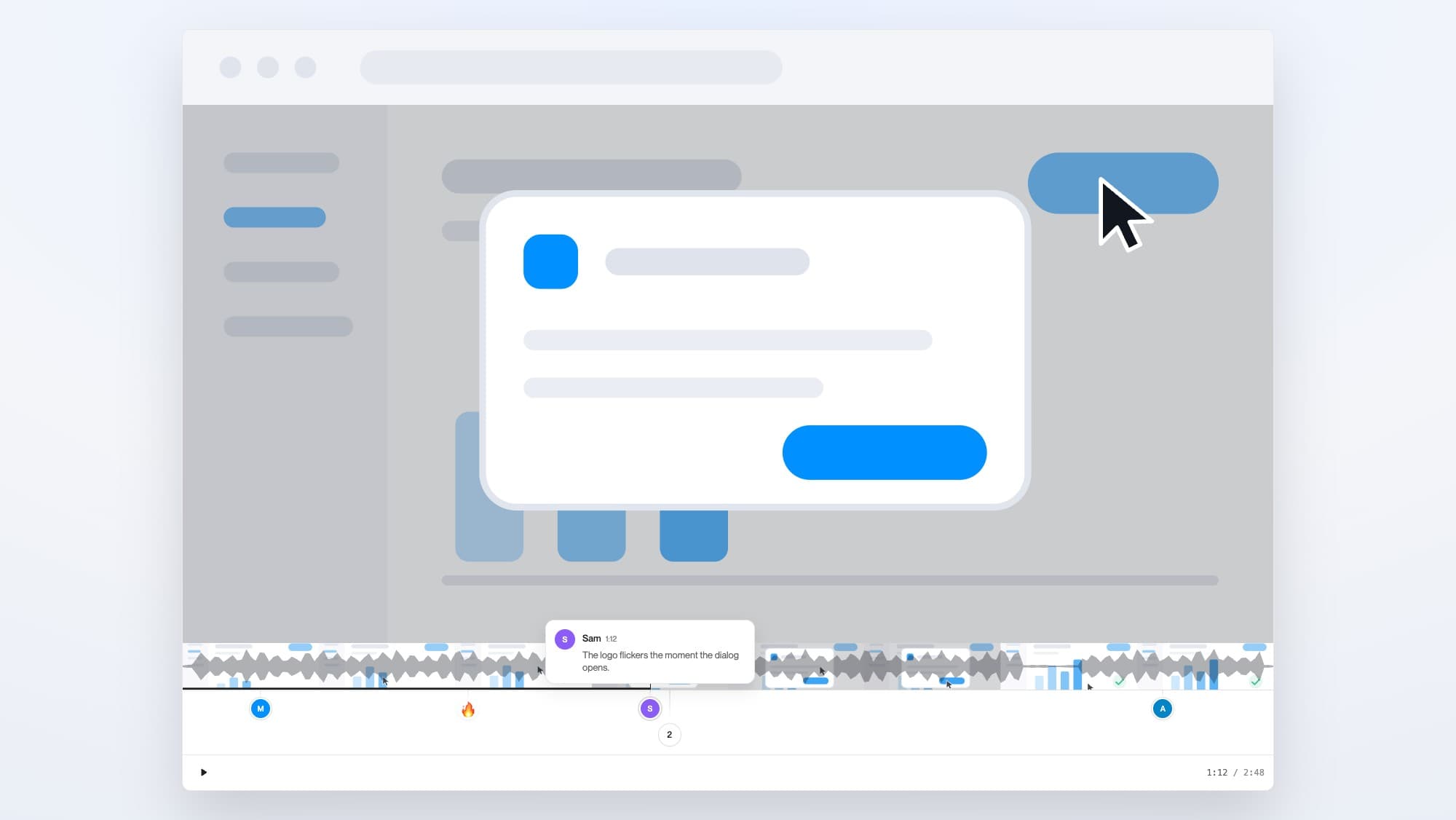
Today we're shipping Timeline view: a better way to collaborate on the links you share with your team, your clients, and your customers. Comments sit on the video's timeline at the moment they're about, and anyone you share with can reply with their screen, their camera, or their voice.
Until now, comments only sat in a sidebar next to the player: "Sam, 1:12: the logo flickers." Connecting the number to the moment was your job. Now Sam's comment sits at 1:12, comes up when playback gets there, and clicking it takes you to the frame.
There's nothing to set up. Timeline view is the same player you already share, and it's live on every shared Cap with comments enabled, for everyone watching, signed in or not.
What Timeline view does for you
Say you record a walkthrough of the new dashboard and share the link with your team before you log off. Overnight, Sam comments at the moment a logo flickers. Priya replies with a screen recording of the same bug in Safari. Jo talks through a fix in a voice note, Ana records a quick camera reply with a suggestion, and Alex signs off with "ship it" near the end.
The next morning you press play and the review comes to you. Each comment surfaces as the video reaches it, already attached to the seconds it's about.
Here's that review in a working player. Flip between the classic view and Timeline view:
What you can do with Timeline view
Reply with a recording. Most feedback on a video is about something visual, and typing it out is the clumsiest way to give it. Signed-in viewers can reply at any timestamp with their screen, their camera, or a voice note, and replies upload while they record, so they're ready about as soon as they stop talking. Recording requires the video's owner to be on Cap Pro; watching is open to everyone.
Find moments by sight. The bar is drawn from your recording: real frames so you can spot the part you're after, and a speech envelope from the transcript so you can skip the dead air.
Zoom into a pile-up. When several comments land on the same few seconds they group together. Pinch, or hold ⌘ and scroll, to spread them out; double-click to zoom back out.
Switch whenever. Hit Timeline under any shared recording, or press T. It's the same player, so nothing resets, even mid-playback.
Try it with your team on something you've already shared, and tell me what you think.
Richie McIlroy
Founder of Cap
